
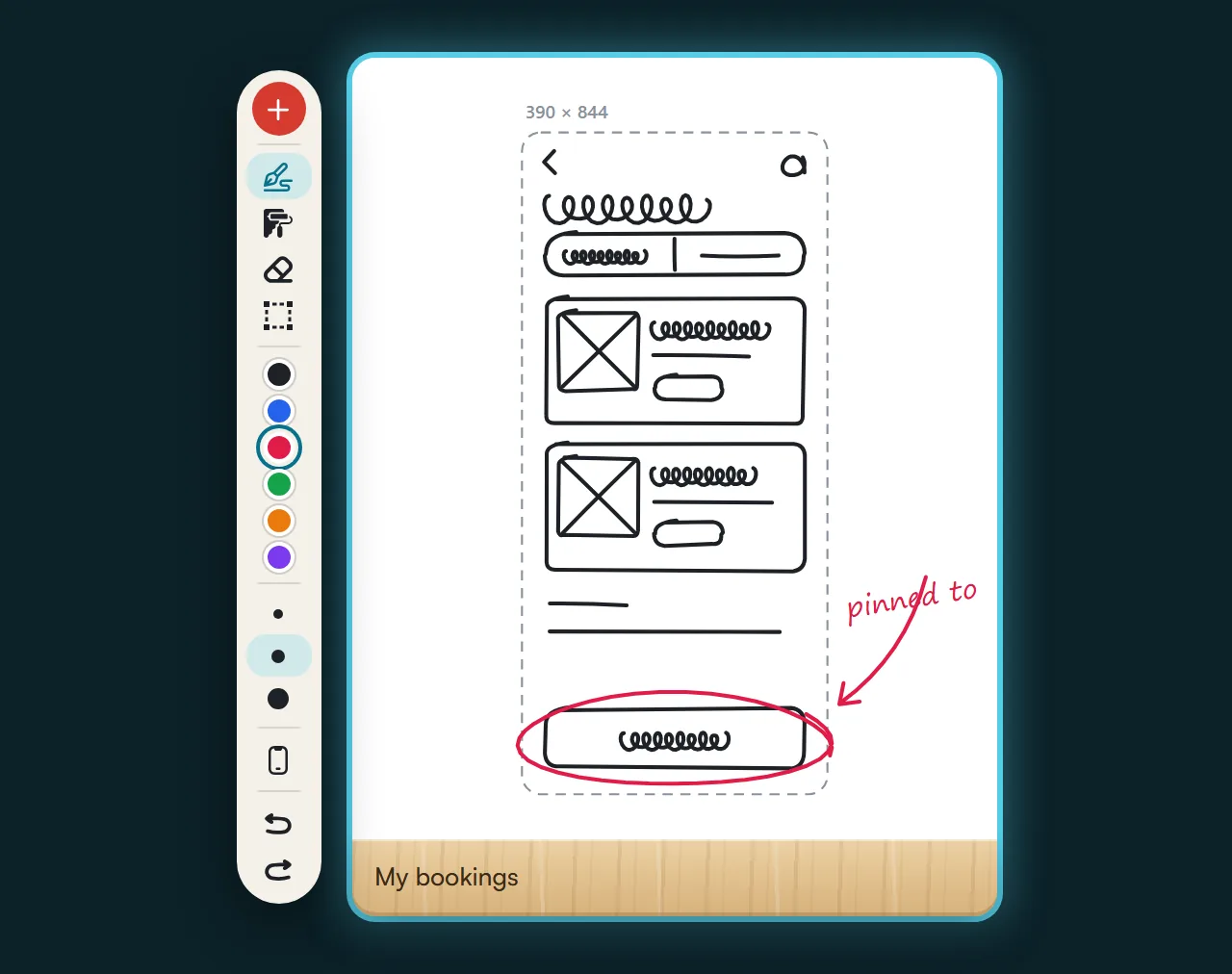
Draw the idea by hand
Screen-sized boards, for pencil or mouse. You dictate over the sketch and the screen comes next.


Your team designs, reviews and delivers in one place, and if you work on your own, so do you. Complex projects, managed simply, with your client’s feedback built into the flow. With your favorite AI.
Start however you like: with a hand-drawn sketch or by mapping out the navigation flow. Both live in the same project as the screens.
Screen-sized boards, for pencil or mouse. You dictate over the sketch and the screen comes next.
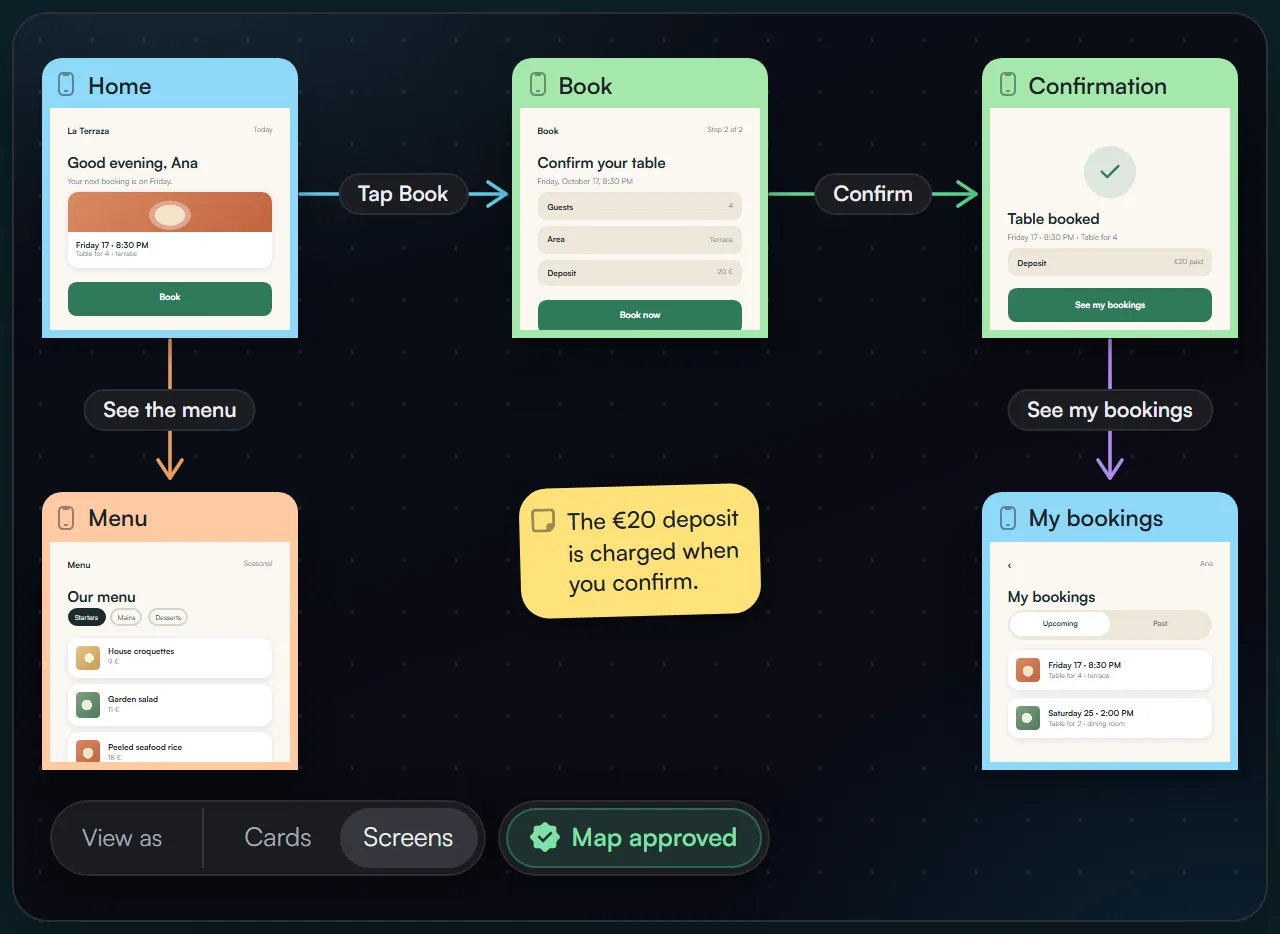
Screens, arrows with their action, and conditions. The flow is drawn from the project, you approve it, and it becomes the reference for everything else.
You review the canvas and dictate over the screen you’re looking at. Ideas become concrete tasks, all applied at once, and you keep iterating.
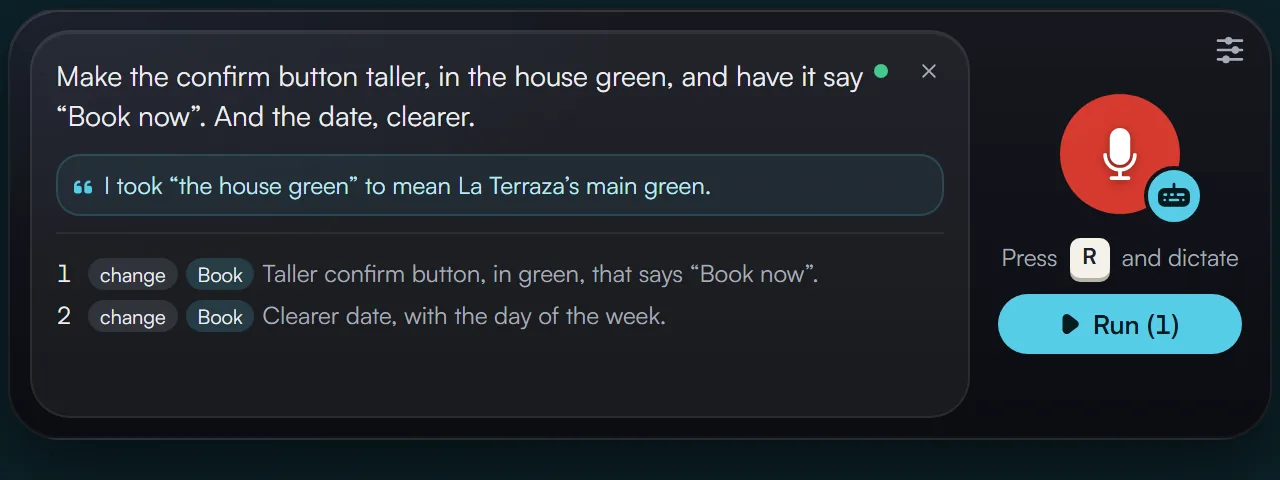
Dictating is the shortest path between what you imagine and the screen. While you look at the design, you say what you would change in your own words, without opening panels or hunting for layers, and the idea is noted at the exact spot, with all its context, before it slips away.
In Bitácora you design by dictating. Each dictation turns into concrete tasks, one per change and each on its screen, and the AI applies them all at once following your project’s rules and design system. You just decide what stays.
How it works, step by step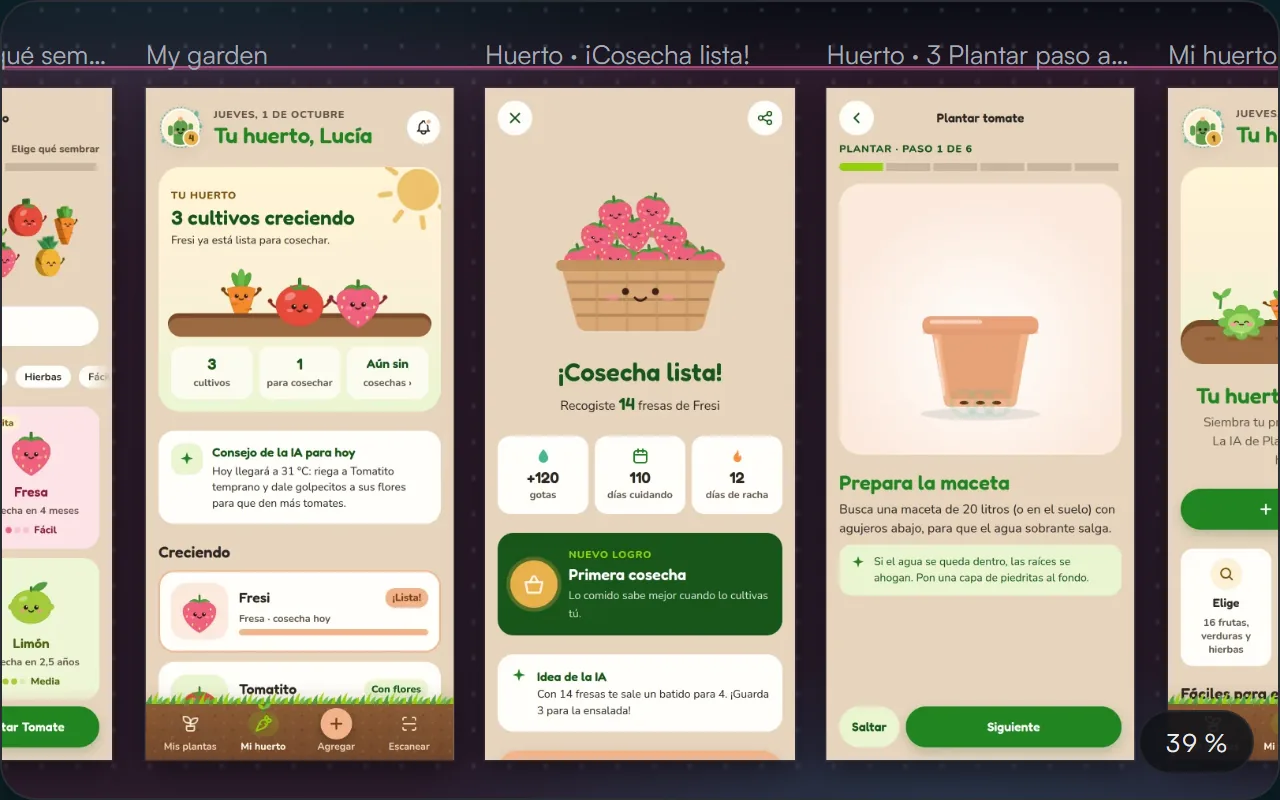
The whole project in view, and smooth even with hundreds of screens. Zoom in and each one is alive: it responds to taps, scrolls and plays its animations, exactly as it will be built.
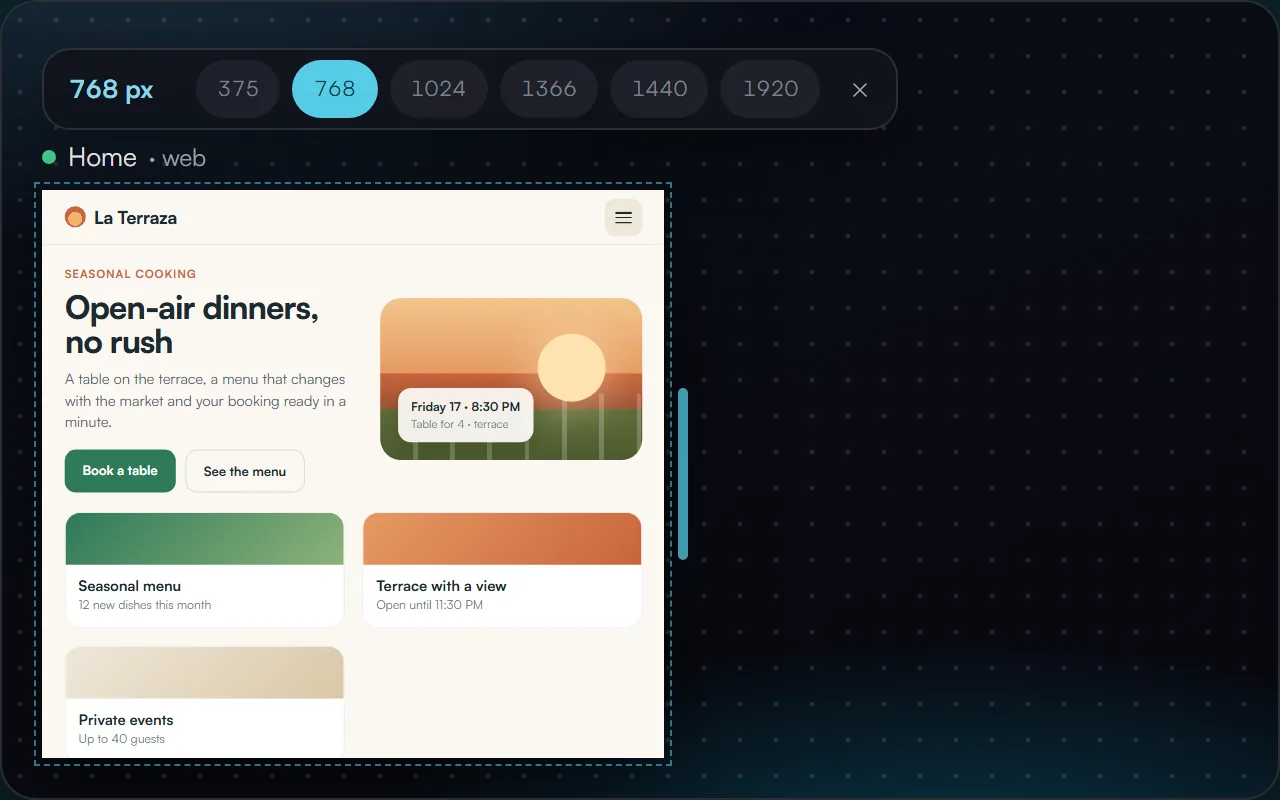
Web screens adapt right on the canvas: from phone to large screen with one click or by dragging the edge. You see how it reflows and dictate what you would adjust at each size, without leaving.
Your client and their team browse the prototype and comment on the screen. Every comment returns to your canvas, ready to become a log and go into your next run, with no emails or scattered notes.
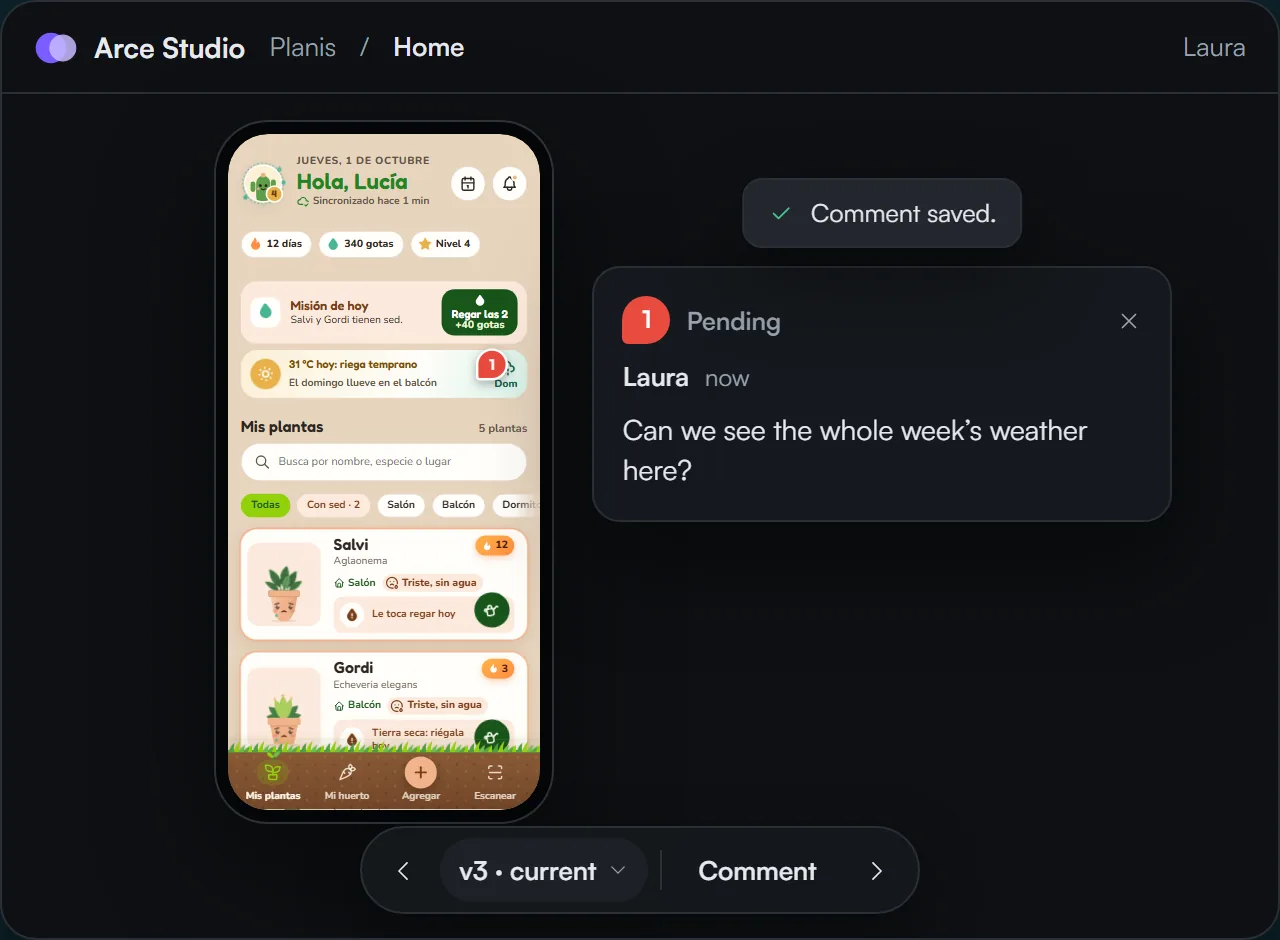
Your client and their team open their link, browse the prototype as if it were the app and comment on the exact spot on the screen.
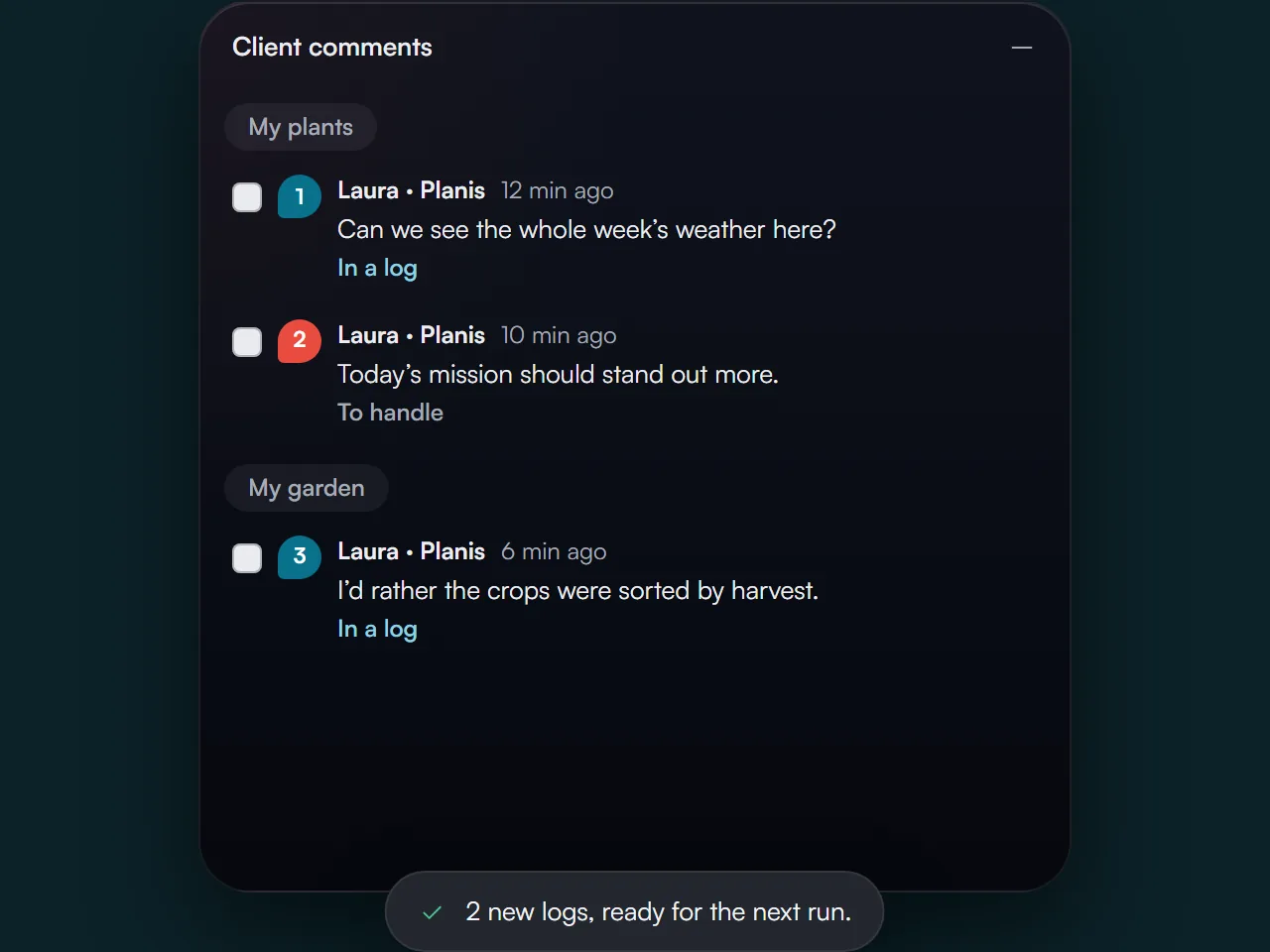
All their comments arrive together on your canvas. You pick the ones you want and they become logs for your next run, with nothing copied by hand.
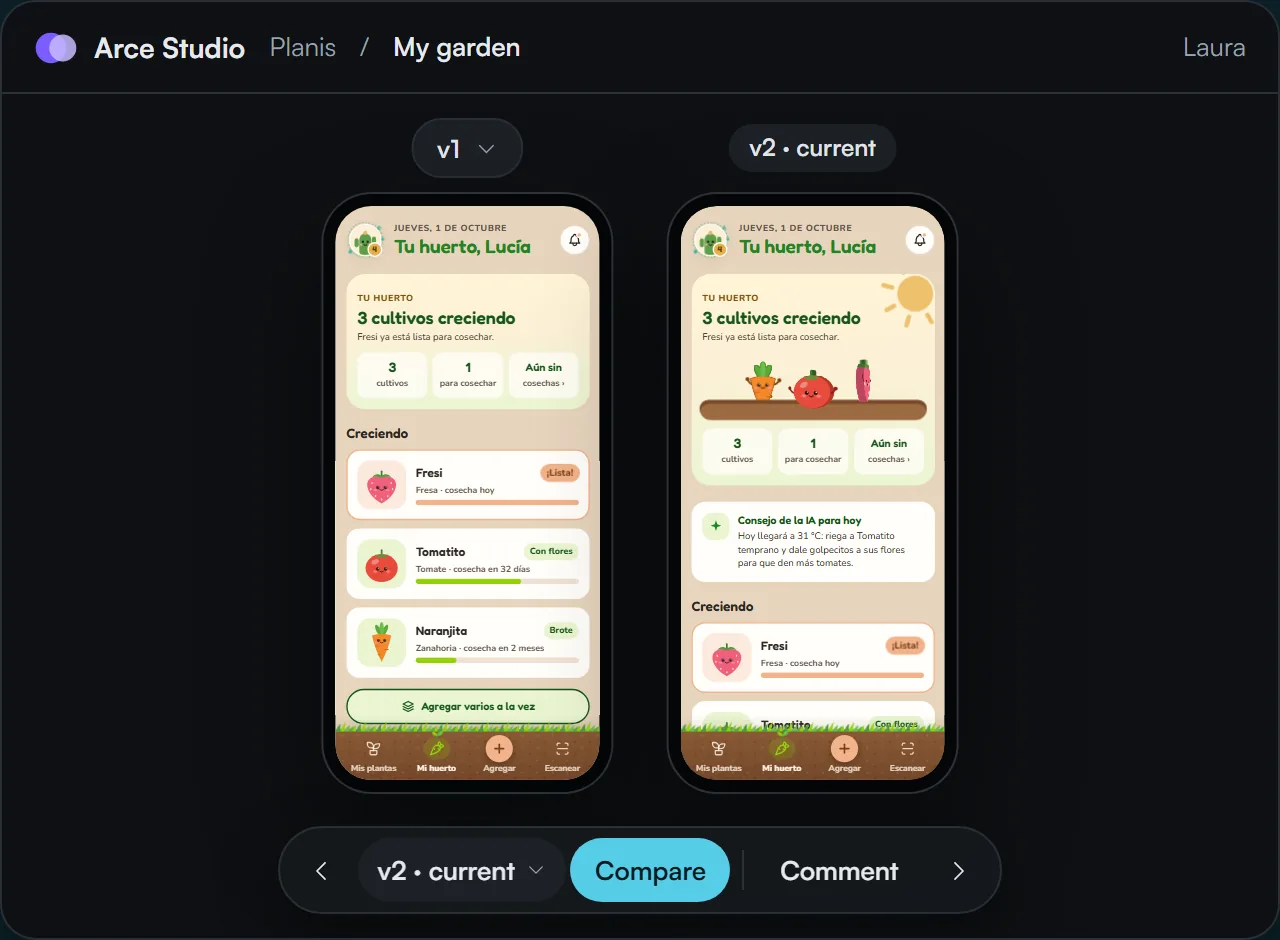
In the next delivery they compare the previous and current version of each screen, side by side, and see what they asked for applied.
In Dev mode, every element shows its measurements, its assets and its code, ready to copy. And their AI agent receives the full delivery over MCP and turns it into a project in React or whatever framework they use.
Each person gets in with their own link and passcode. You see who opened the prototype, how many screens they went through, whether they saw the latest version and who could use a reminder. They open it on their phone like an app, in their language.
1viewing now
1hasn’t seen the latest
1not opened
12/14
screens viewed4/14
screens viewed0/14
screens viewedBitácora connects to your favorite AI and works on your account. Connect the AI tool you already use through our MCP server, or add your own API key: either way, your dictations become tasks, the changes are applied to the screens and everything comes back to the canvas for you to review.
Connect it to the AI you already use
And any other tool that supports MCP connectors.
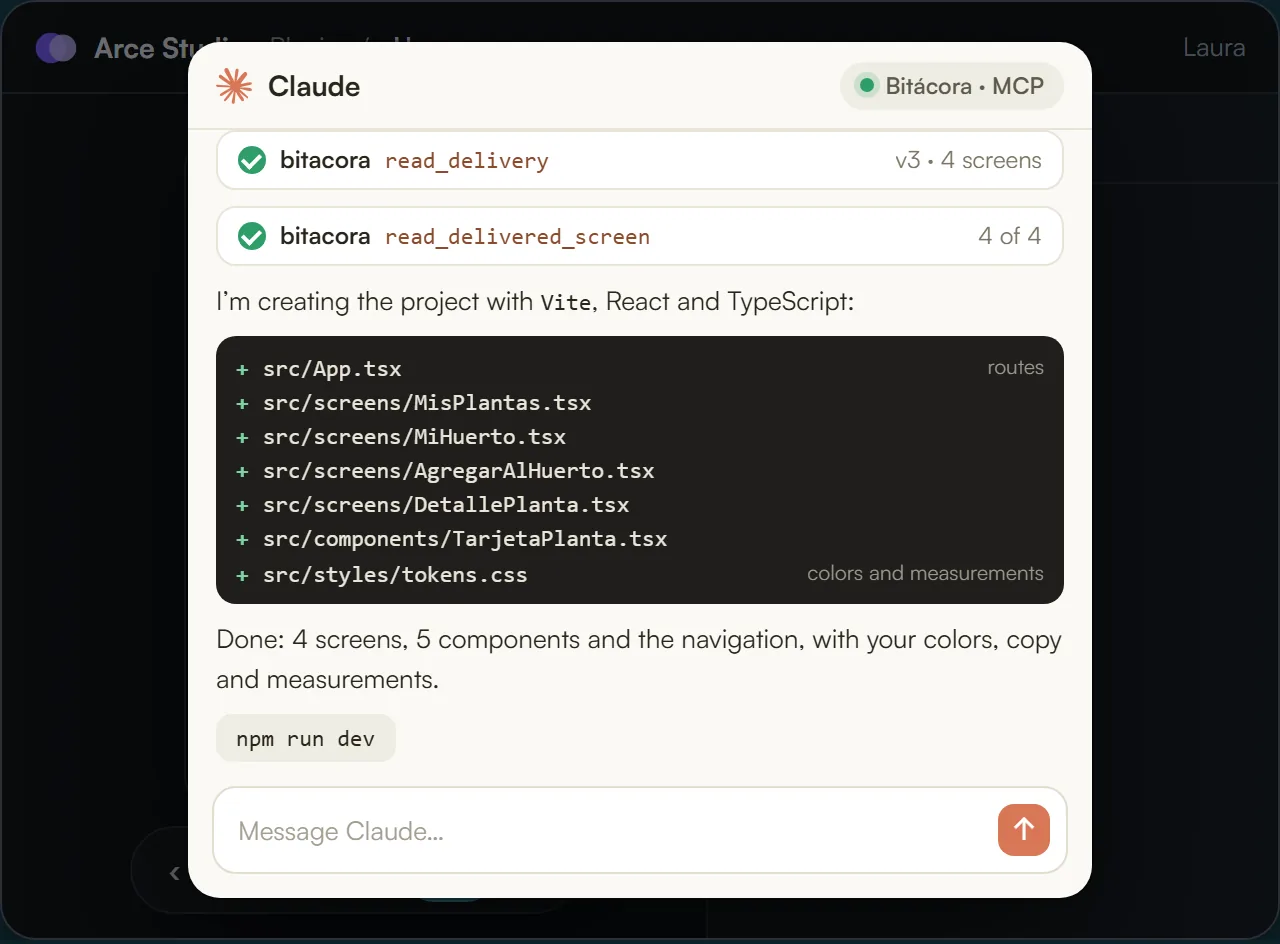
When your client’s development team receives a delivery, they log in to Bitácora with the same email you authorized to receive it and connect their AI agent over MCP. The agent receives every screen with its assets and the design fully intact, and adapts it to the language and framework they build the product with.
Whether you work on your own or with a team, you manage your client portfolio in one place and link it to your projects and deliveries. Everything stays in order: whose project it is, who it was delivered to, and how much was agreed, paid and is still due.
With Bitácora you direct the design the way a conductor leads an orchestra. You set the intent, review and decide, and every change is applied to the screens without moving a pixel by hand.
There’s a new generation of designers who no longer call themselves UI/UX. They are OX, experience orchestrators, and they work with Bitácora. They lead more projects, deliver sooner and spend their time on what truly matters: the experience.
Everything you do today, minus the parts that aren’t design.
One editable project, 30 logs a month and a link to show it.
Three active projects, unlimited logs and the client portal.
Unlimited projects, full download as HTML and ZIP, and developer mode everywhere.
Ten collaborative projects with three seats each, studio rules and the portal without our brand.
Unlimited collaboration, your brand on the portal and in the emails, your own domain.
Use the subscription of the AI tool you already have: it connects to Bitácora through our MCP server. We don’t sell credits or charge per log.
No plan limits how many people join your projects.
On any plan you can take everything that’s yours; from Essential, as captures, and from Professional, as HTML or a ZIP you download, or straight to the AI agent of whoever codes it, through our MCP server.
You connect the AI tool you already use to our MCP server, or add your API key, and each run uses your account. We don’t sell credits or charge per log. If you already pay for an AI subscription, you pay nothing more.
No. They open their link, see the clickable prototype and comment on the screen. If you like, with a personal passcode so you know who saw what.
No. What changes between plans is how much collaboration is included. Anything extra is added with a $15 monthly pass per project or a $10 seat, and you see it before you pay.
Yes. From Essential you download a ZIP with a capture of every screen, and from Professional each screen as HTML or the whole project in a ZIP with its design system. And on any plan you can take everything that’s yours whenever you want.
No. The agreed amount and what was paid in My clients are a record for you. Bitácora doesn’t issue invoices or move your clients’ money.
One project, 30 logs a month and a link to show it to your client. Start free, no card required.
Design wherever you are, from any of your devices: computer, tablet or phone.

Draw your sketch here
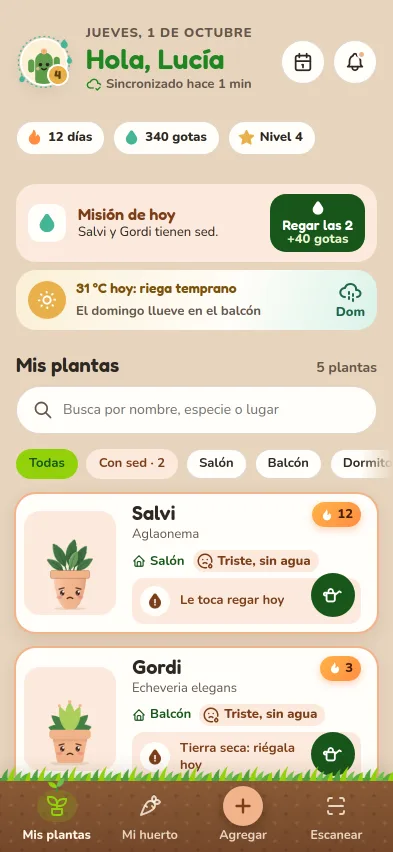
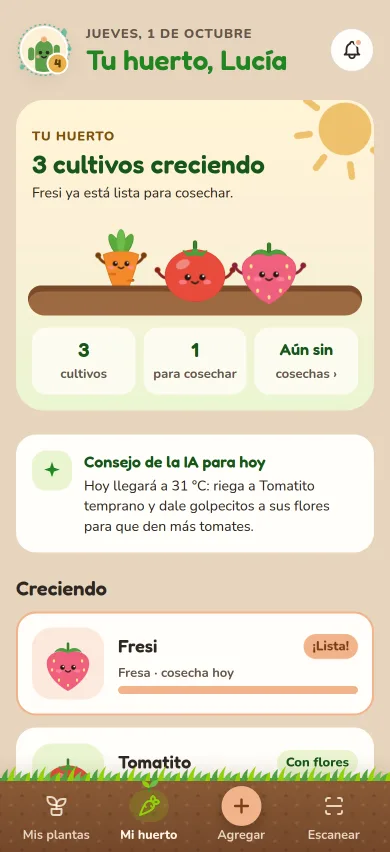
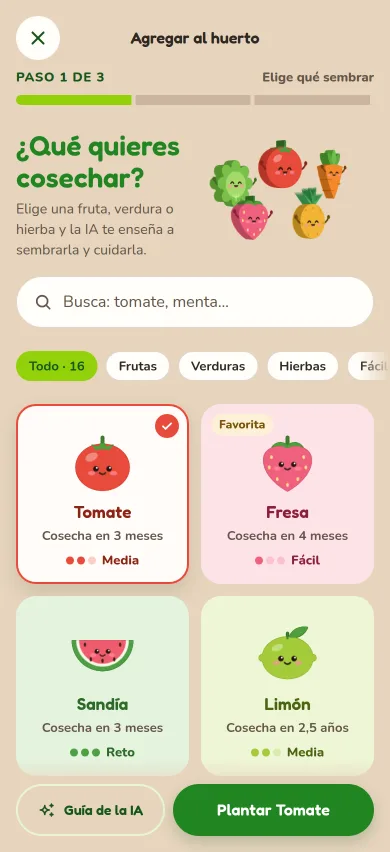
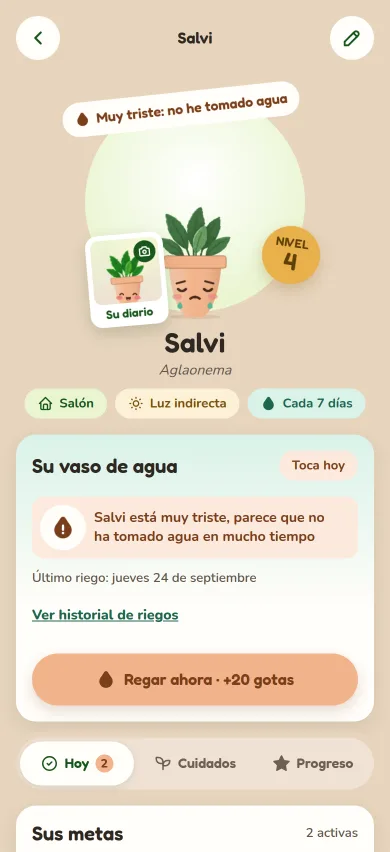

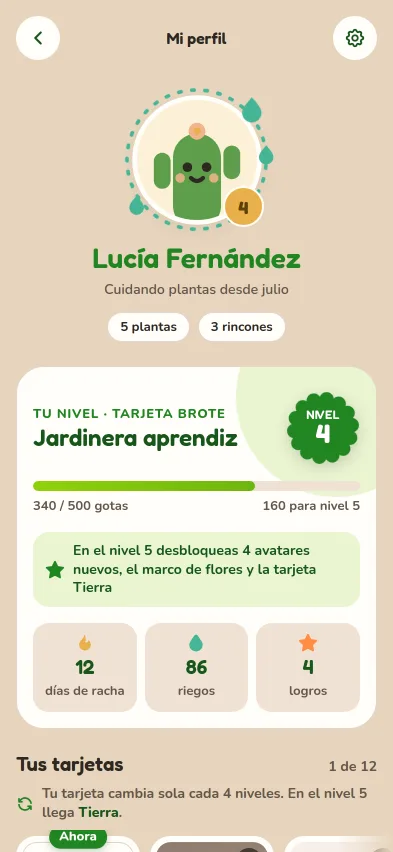
Make the watering button bigger and green, and give each plant its little face on the left.
Sketch 1 · 2 tasks
Tap here to see the logs
You are in previewTap Back to return to the project screens.

Adiel Smith
Founder of Bitácora
Product design is changing, and so are those of us who do it. I built Bitácora so your judgment carries the most weight: fewer hours pushing pixels and more time to think through the experience. My commitment is to give this craft the value it deserves and to make it more agile, every day.

If you care about where product design is heading, let’s connect on LinkedIn. I’d love to hear how you work.
Cookies
We use analytics cookies to understand how the site is used and, if you arrive through an affiliate link, one to remember who recommended us. They are only stored if you accept. Learn more


