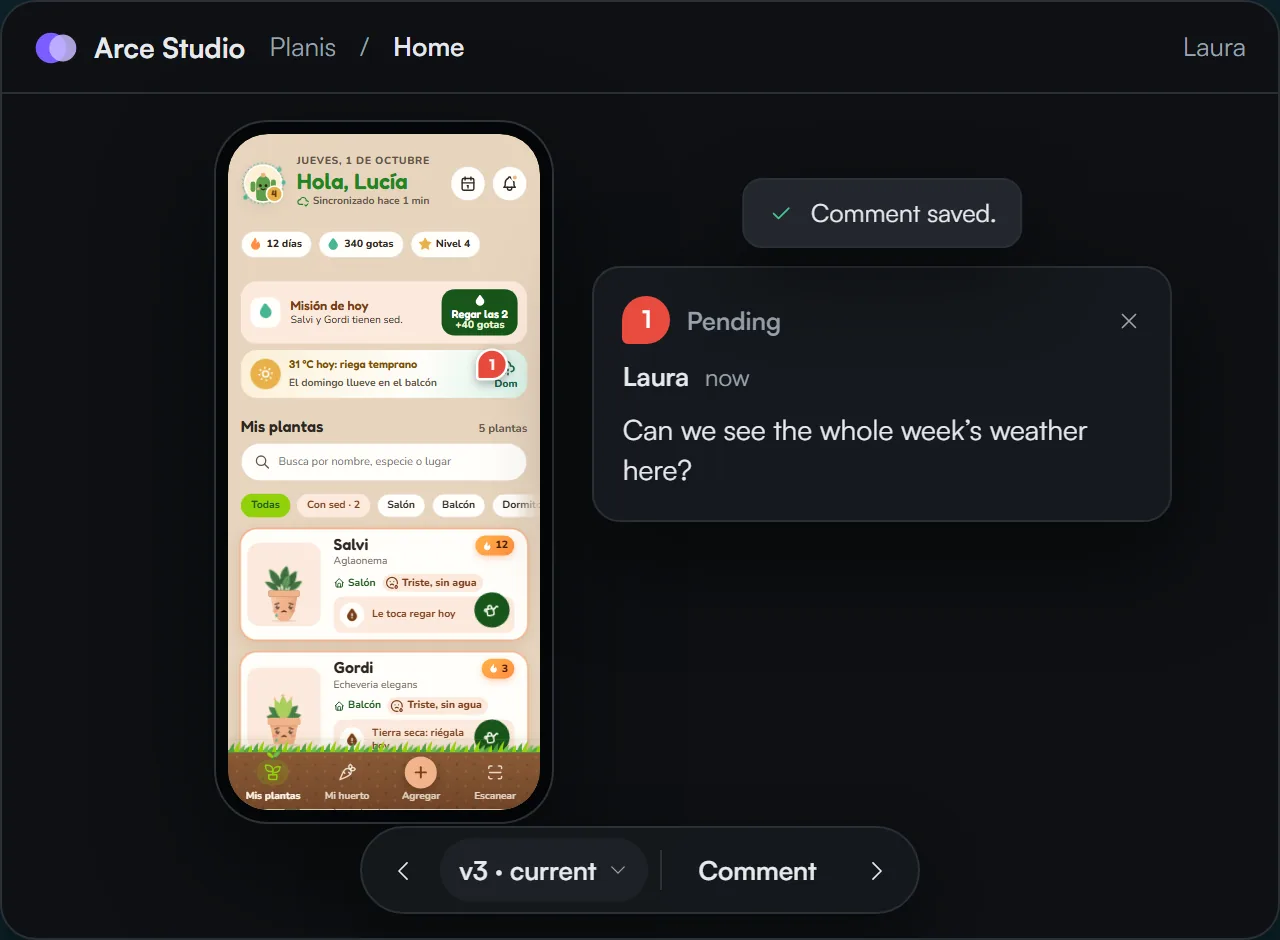
1They comment on the exact spot
They press Comment, mark the spot on the screen and type. The comment stays anchored to that element and follows it across versions.


One link, no account and nothing to install. Your client opens the prototype as if it were the app, in their language and on their phone, and comments on the screen. Every comment comes back to your canvas.
Your client and their team browse the prototype as if it were the app and comment on the exact spot on the screen. With your name, your logo, your color and your support email.
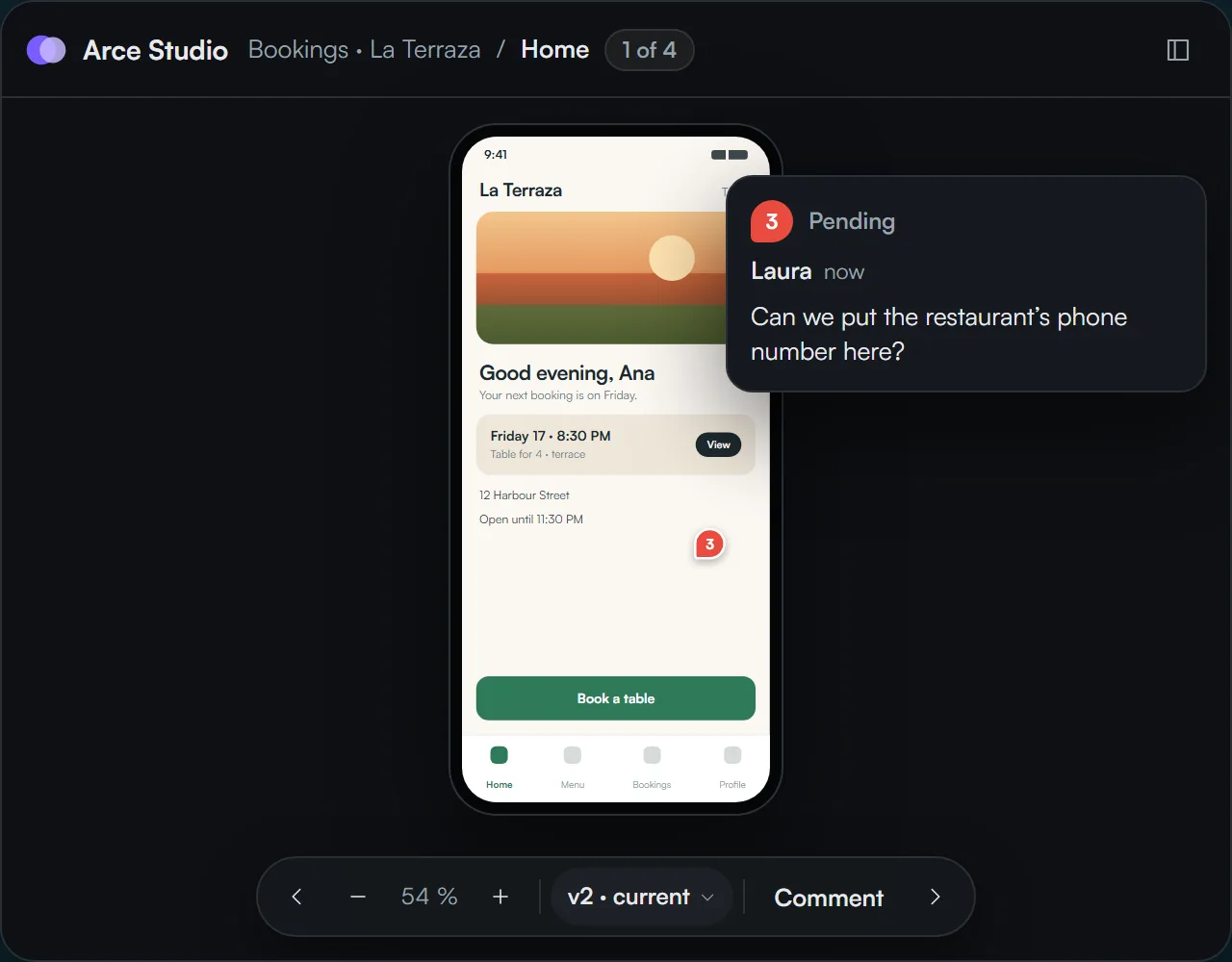
Your client comments on the exact element and all their comments arrive together on your canvas. You pick the ones you want and they become logs for your next run, with nothing copied by hand.
They press Comment, mark the spot on the screen and type. The comment stays anchored to that element and follows it across versions.
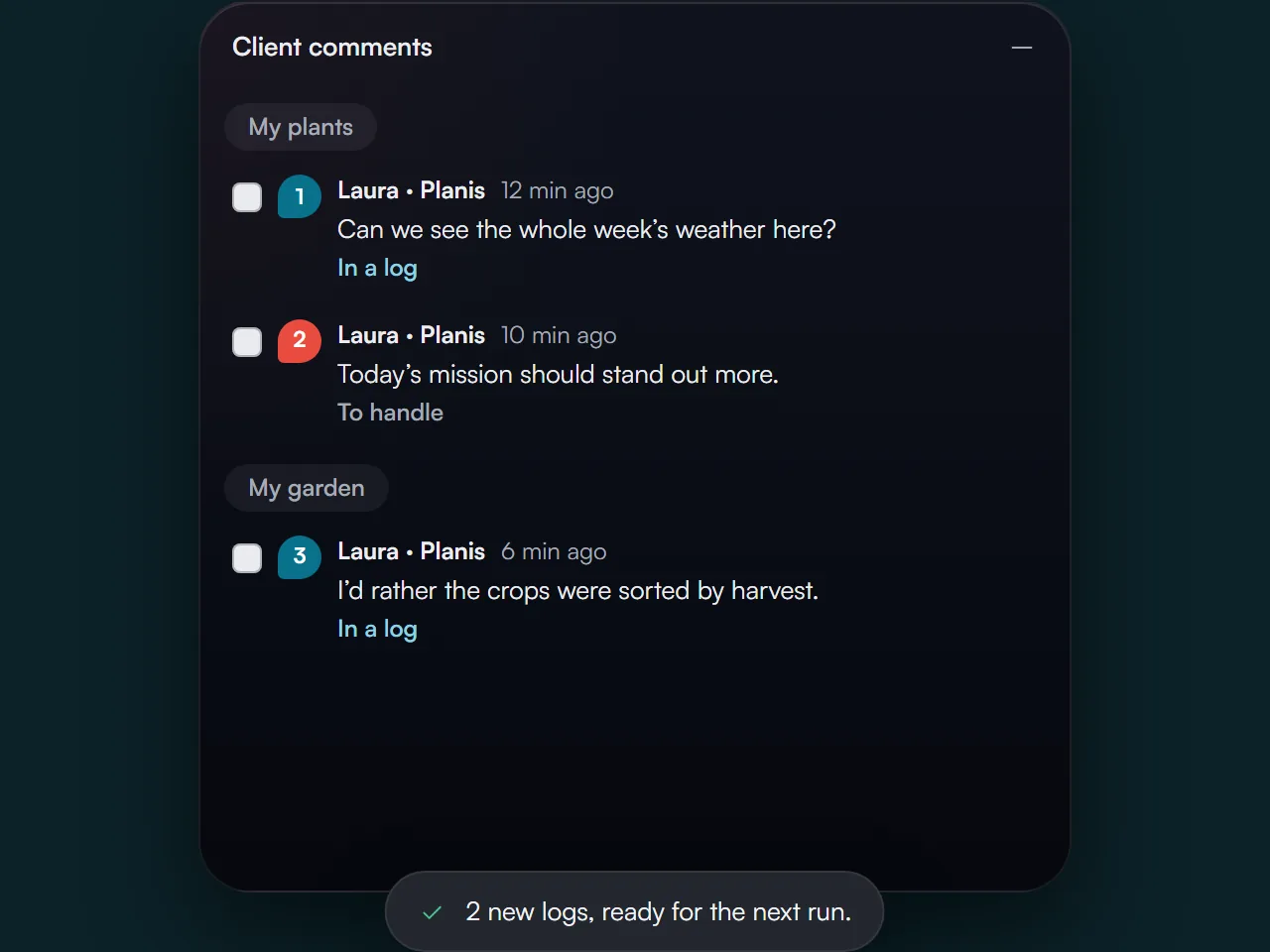
On your canvas you pick the comments you want and each one becomes a log, ready to go into the next run.
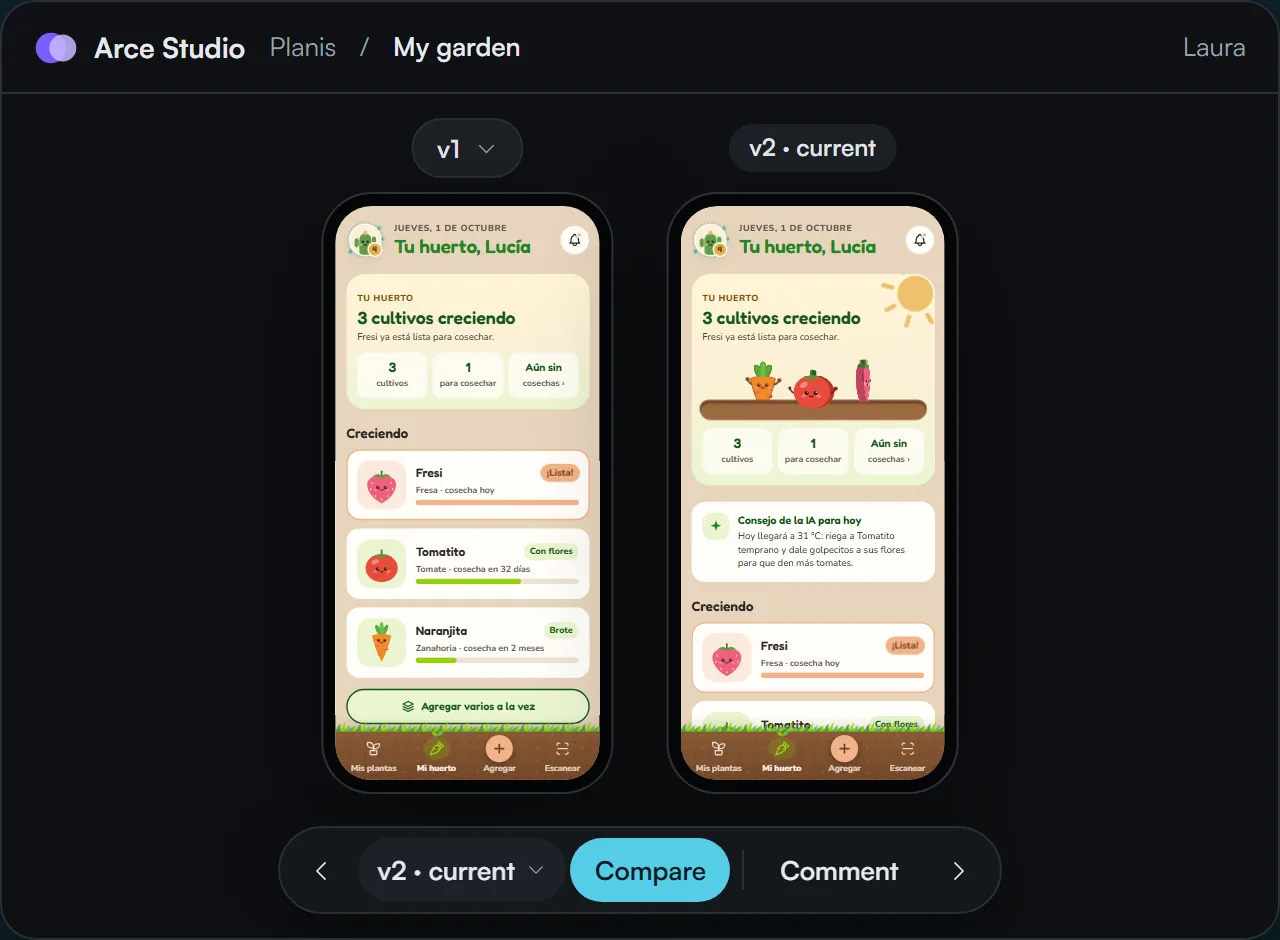
In the next delivery, your client compares each screen with its previous version and sees what they asked for applied.
The prototype is HTML. In Dev mode, every element shows its measurements, its assets and its code, ready to copy. And their AI agent receives the full delivery over MCP, ready to adapt to any framework.
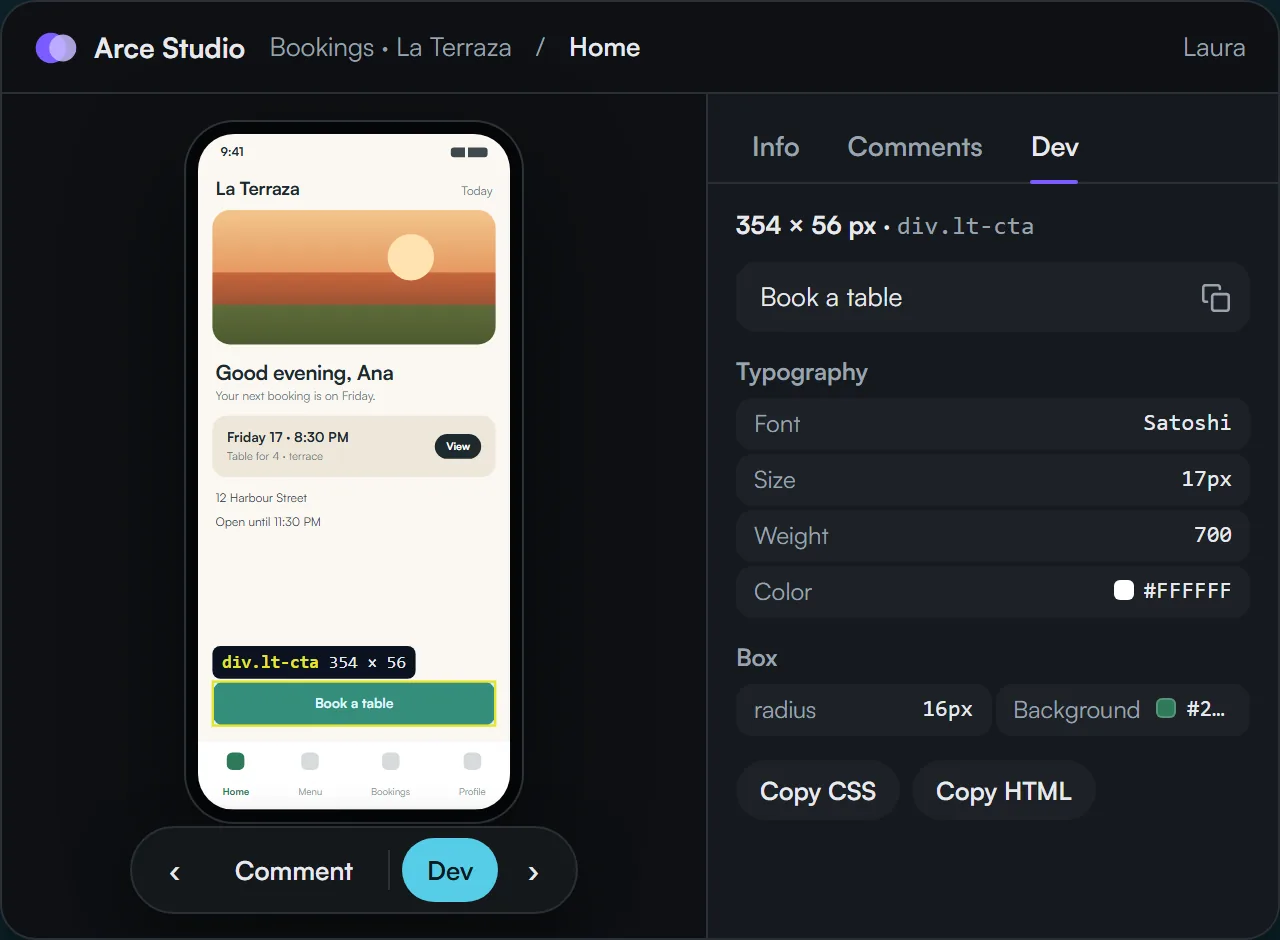
When your client’s development team receives a delivery, they log in to Bitácora with the same email you authorized to receive it and connect their AI agent over MCP. The agent receives every screen with its assets and the design fully intact, and adapts it to the language and framework they build the product with.
Each person gets their link and passcode in the same email. You see who opened the prototype, how many screens they went through, whether they saw the latest version and who could use a reminder.
1viewing now
1hasn’t seen the latest
1not opened
12/14
screens viewed4/14
screens viewed0/14
screens viewedThe free plan already gives you the prototype link and your client’s comments in view. Start free, no card required.

Adiel Smith
Founder of Bitácora
Product design is changing, and so are those of us who do it. I built Bitácora so your judgment carries the most weight: fewer hours pushing pixels and more time to think through the experience. My commitment is to give this craft the value it deserves and to make it more agile, every day.

If you care about where product design is heading, let’s connect on LinkedIn. I’d love to hear how you work.
Cookies
We use analytics cookies to understand how the site is used and, if you arrive through an affiliate link, one to remember who recommended us. They are only stored if you accept. Learn more