

How it works
In Bitácora you design by dictating. You sketch, say what you would change and each idea is written down as a log. When you’re ready, you run them and your AI creates the screens following every one of your specs.
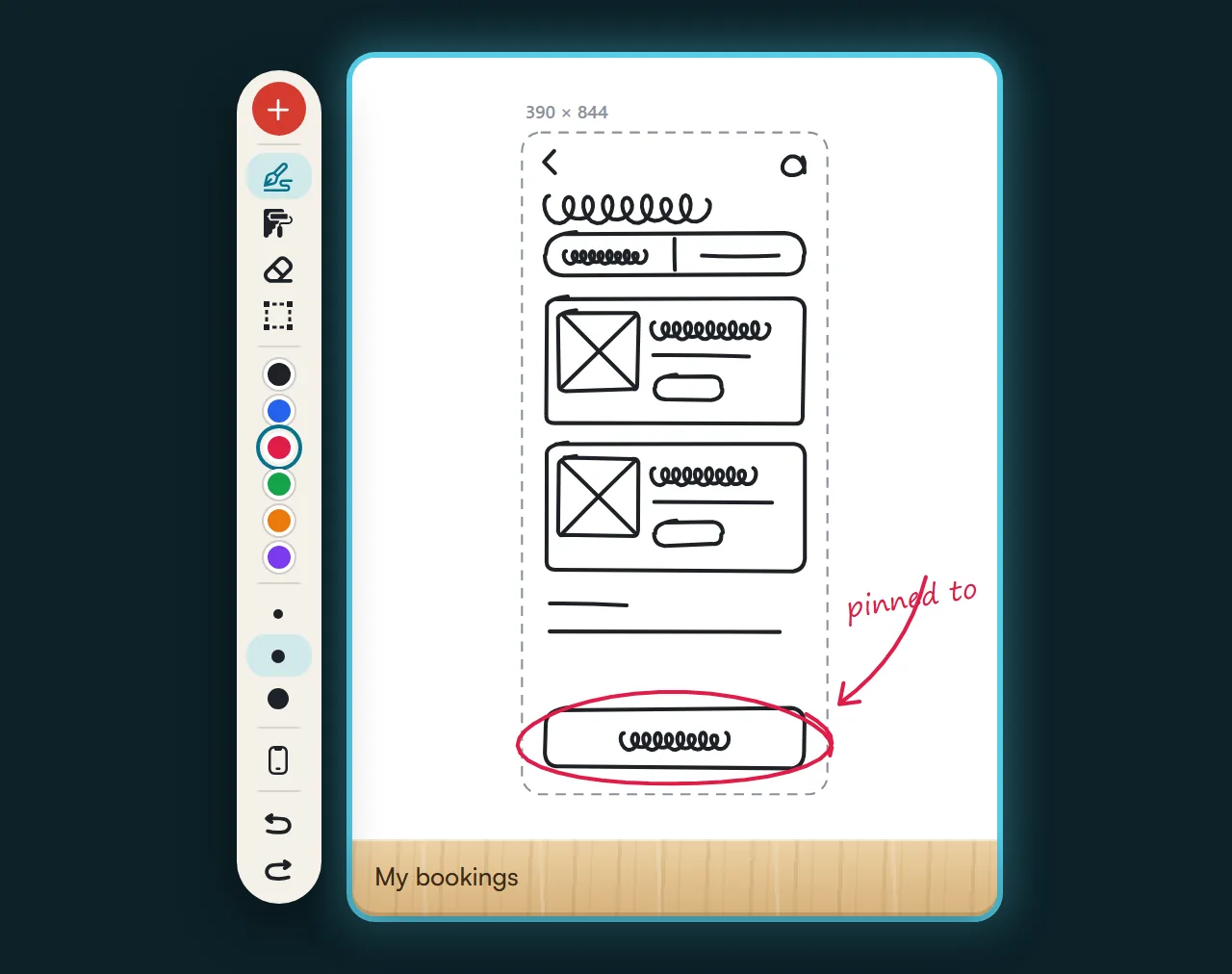
Start with a sketch
You draw the screen by hand, with your tablet pen or your mouse, and dictate the adjustments over the drawing. What you say is attached to that sketch as a log.
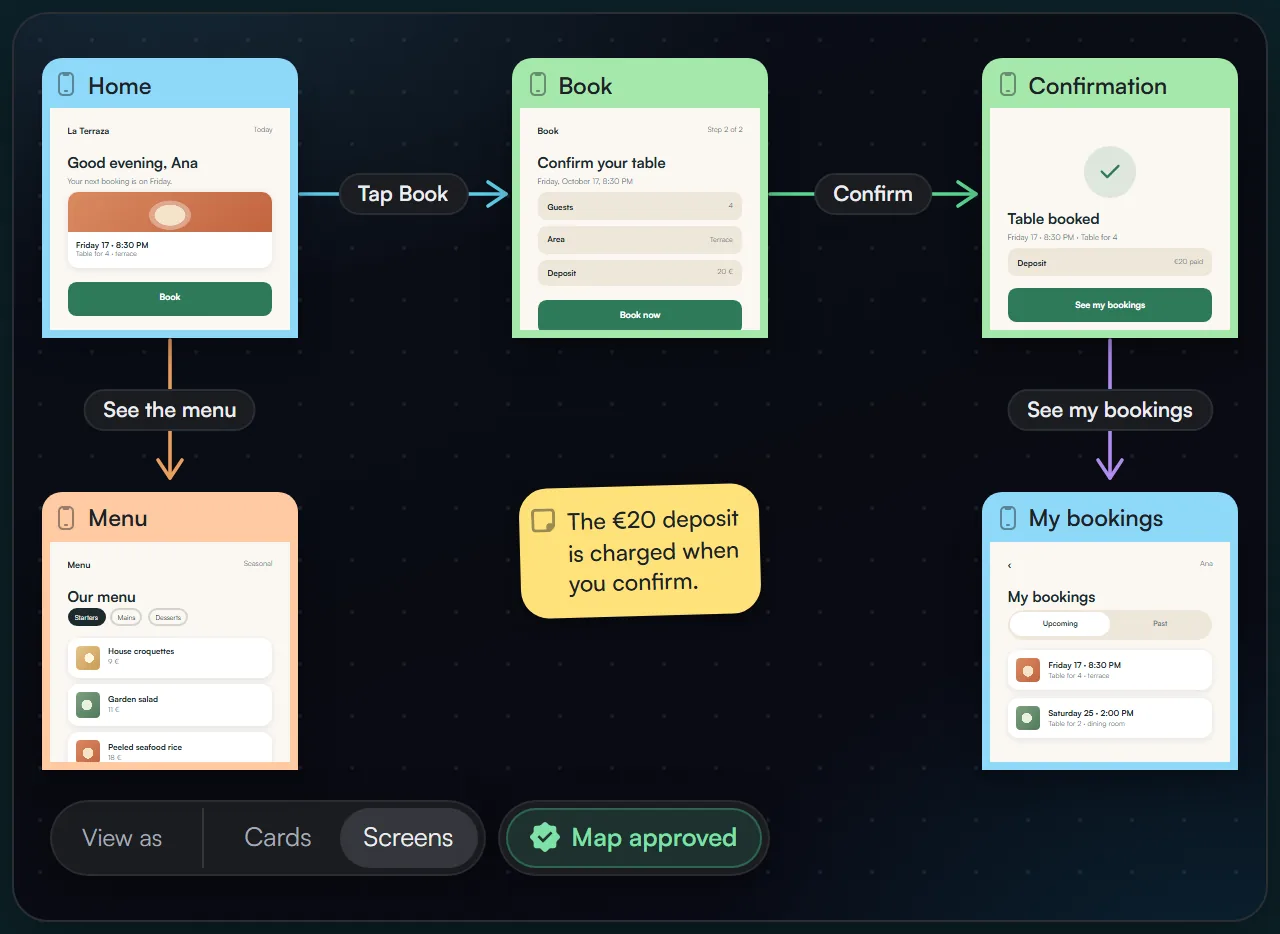
Or start by mapping out the navigation
If you prefer, start with the flow: the screens, the arrows with their action and the conditions. You dictate over the flow too, and each instruction is added as a log.
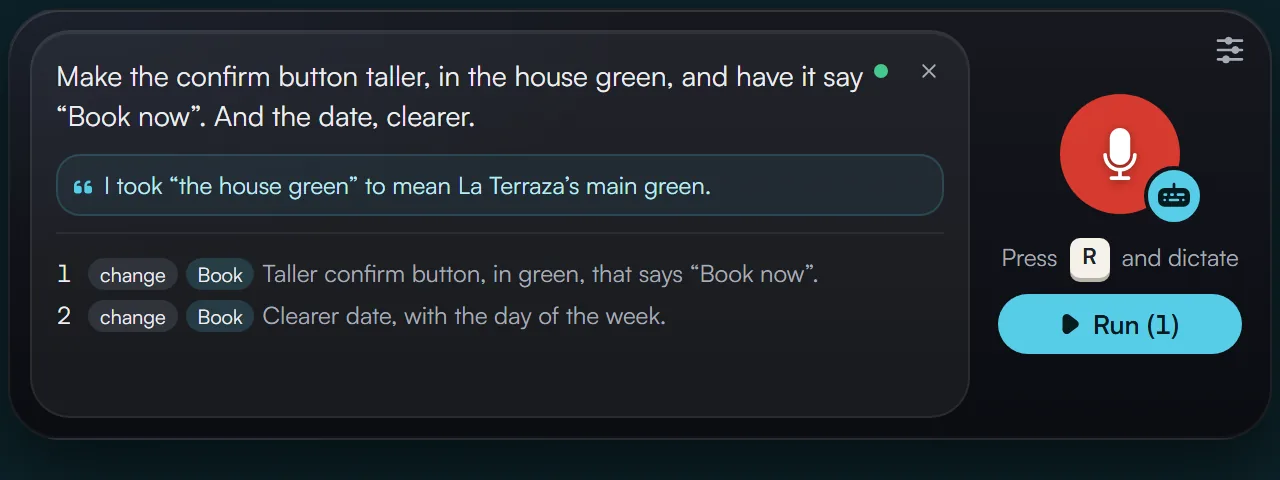
Every idea, a log
Press R, look and say it in your own words. Dictating doesn’t touch anything: logs pile up, pinned to the sketch, the screen or the exact spot you marked, until you decide to run them.
You run, and your AI creates the screens
When you’re ready, you run the logs and your AI creates and adjusts the screens according to what you asked in each one. The canvas is alive: you see every change in real time, and in minutes you explore and dictate adjustments across hundreds of screens and watch them all apply. The design stays consistent because each new screen only uses the resources your project already defines: its fonts, its colors, its borders and its styles.
With the MCP connector
You connect the AI tool you already use to our MCP server and its subscription runs each batch, from its app or from your code editor.
With your API key
You add your own key and Bitácora runs with it. Press Run and the changes are applied without leaving Bitácora, and the key is never shown.
A canvas for projects with hundreds of screens
The canvas handles complex, professional projects with hundreds of screens, all of them live. Zoom in to perfect a detail on a single screen, or give one instruction that affects them all.
You don’t just look at it: right on the canvas you interact with the design, just like in the app. And if you’d rather make a small adjustment by hand, like changing a text or tweaking a spacing or a size, you can do that too.
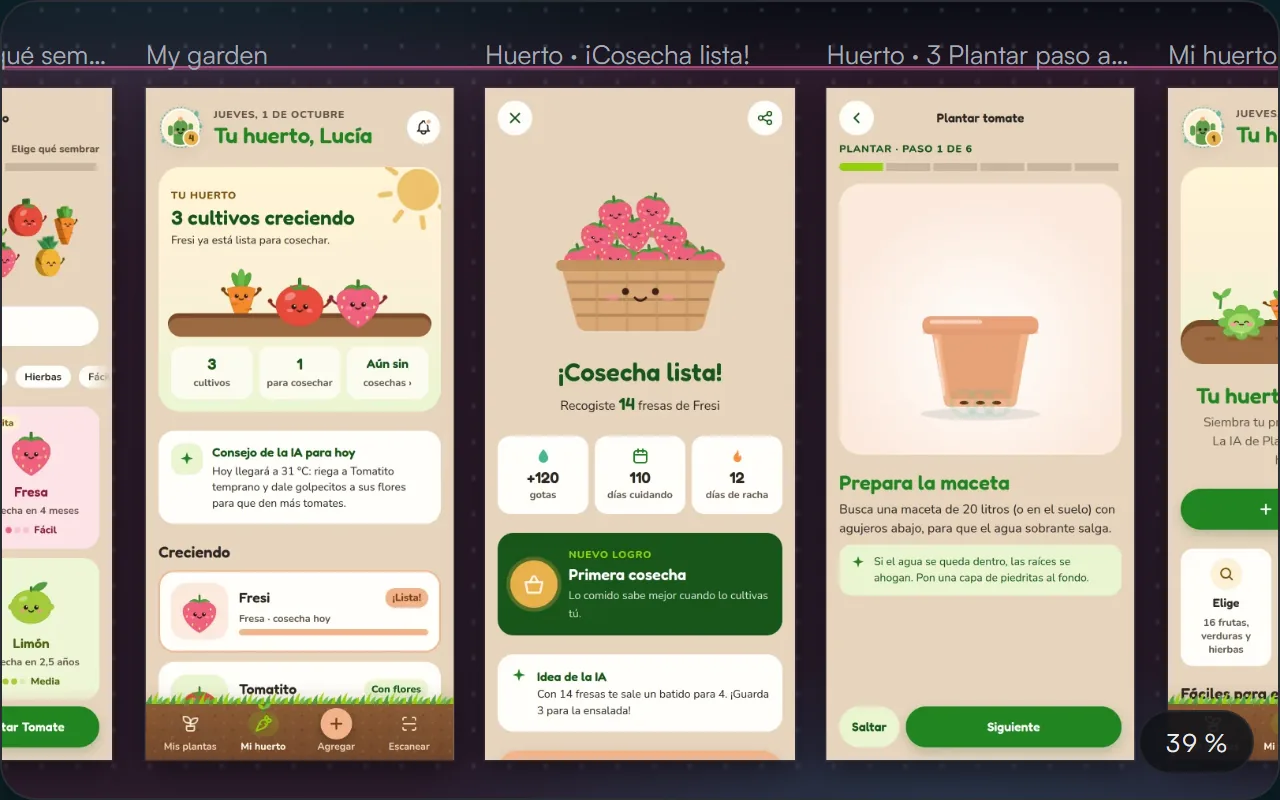
Every size, right on the canvas
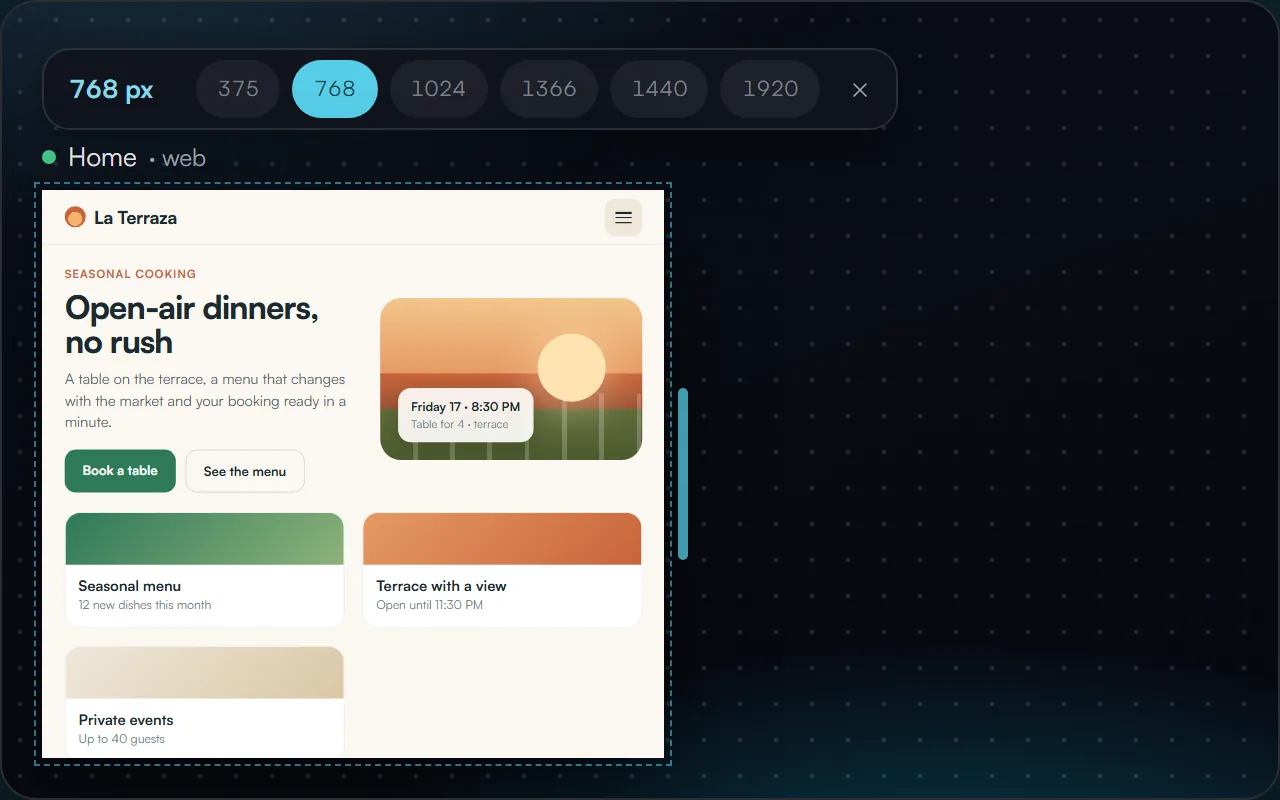
Web screens adapt without leaving the canvas: from phone to large screen with one click or by dragging the edge. You see how it reflows and dictate what you would adjust at each size.
Change it once, it changes everywhere
Even when the project has hundreds of screens, its elements work as components and its styles live in the design system, in one place.
Components
Repeated elements are shared pieces. Change one and every screen that uses it changes.
Colors
Colors are centralized styles in the design system. Change one and it updates on every screen that uses it.
Typography
Change the font in the design system and it changes on its own on every screen that uses it. The same goes for radii and icons.
Try it with a project of your own
One project, 30 logs a month and a link to show it to your client. Start free, no card required.

