

A CRM built for designers
Your client portfolio, right where the work is. Whether you work on your own or with a team, you know whose project each one is, who it was delivered to, and how much was agreed, paid and is still due. It isn’t a sales CRM: it holds what you need to work and deliver.
Companies, people and lists
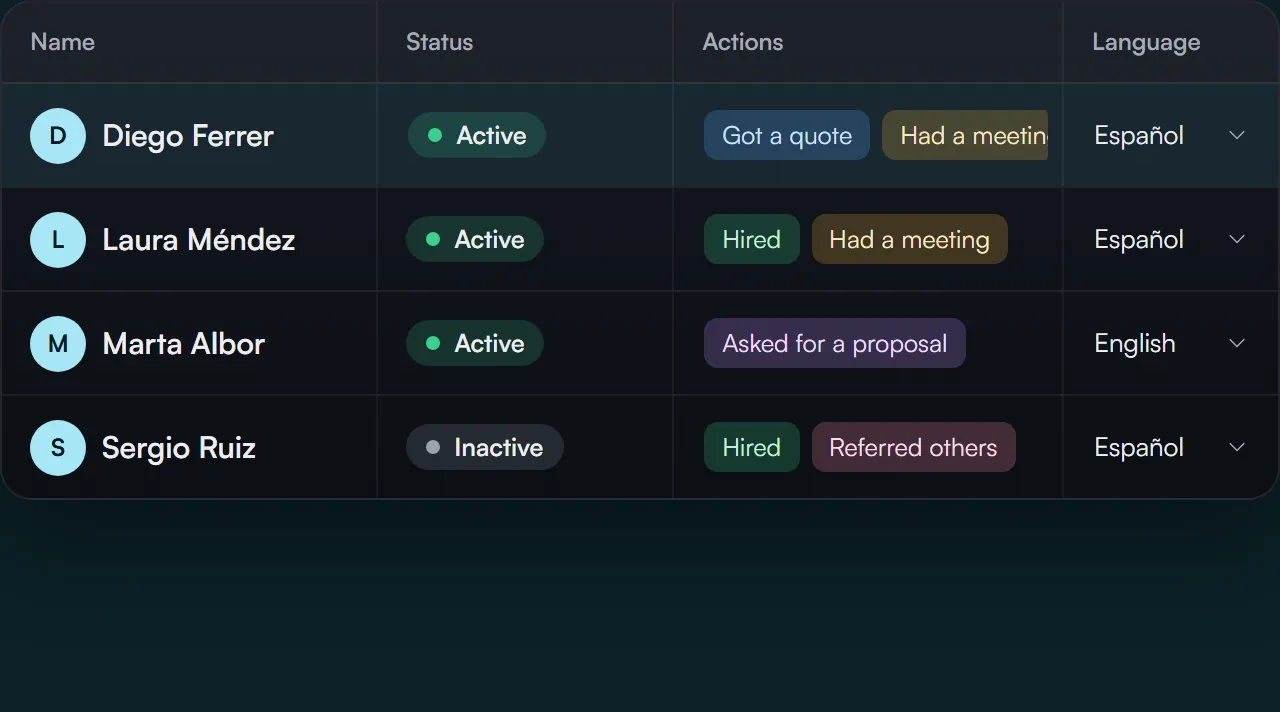
Tables you edit right in the cell, like a spreadsheet, with just what you need about each client: their status and next actions, linked to their projects and deliveries.
- Company: name, website, status (active client, prospect, on hold, former or one of your own), tags and notes.
- Person: emails, phone, links, role at each company, the language they receive deliveries in, status and follow-up actions (got a quote, asked for a proposal, hired, referred).
- One person can belong to several companies with a single record and a single login.
- Lists: saved audiences like “Leadership” or “Product team” that mix people and companies.
- Import people from CSV or vCard (Google Contacts, iPhone, Outlook) and companies from CSV, without duplicates.
- Select several people and change their status, language or actions, add them to a list or delete them all at once.
Each project with its client, and what’s still due
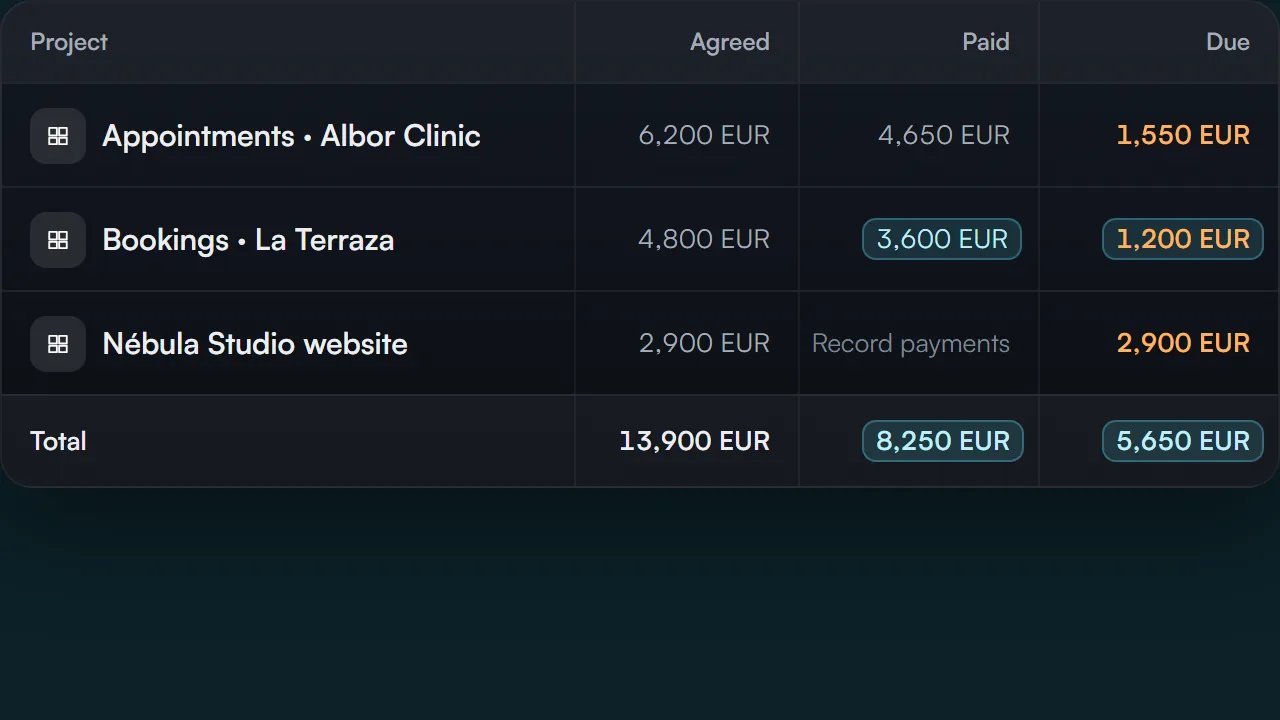
A project has its client (a company, a person or a list), its start and delivery dates and, if you like, what was agreed and what’s been paid so far. Your portfolio total, always up to date.
- Payments with date and description, by currency, and totals per client.
- Each company’s and each person’s record: their details and their projects with what was agreed, paid and still due.
- In My projects, each card shows what’s been paid out of what was agreed. Hide it with one button when you’re presenting.
- It’s your own record: Bitácora doesn’t charge your clients or issue invoices.
Delivering means picking names from your portfolio
You choose companies, people or lists, and each person gets their link and passcode in the same email. That’s how you know who opened the prototype, how many screens they went through and who could use a reminder.
1viewing now
1hasn’t seen the latest
1not opened
-
L
Laura Méndez
Manager
12/14
screens viewedViewing now -
J
Jorge Salas
Executive chef
4/14
screens viewedHasn’t seen the latest -
M
Marta Ibáñez
Agentic Developer
0/14
screens viewedRemindReminder sent by email
- Publishing for a company includes all its people, including those added later. Stopping sharing cuts off access instantly.
- Lists flag anyone without an email who won’t receive the delivery, and take you to their record to add it.
- How many times they opened the prototype, their last visit, how many screens they saw and whether they saw the latest update.
- A button to send an email reminder to anyone who hasn’t opened it.
Kept out of the project folder
Your clients’ data and your payments live apart from the project. A copy of the project, a download or an external tool’s access never takes them along.
Keep your portfolio where you design
My clients comes with every plan, the free one too, and you start without adding a card.

