

Several people, the same projects
A team is a list of people you share projects with. Creating teams and inviting people costs nothing. What you pay for is bringing people into a project, in advance and for as long as you choose.
Working together on the canvas
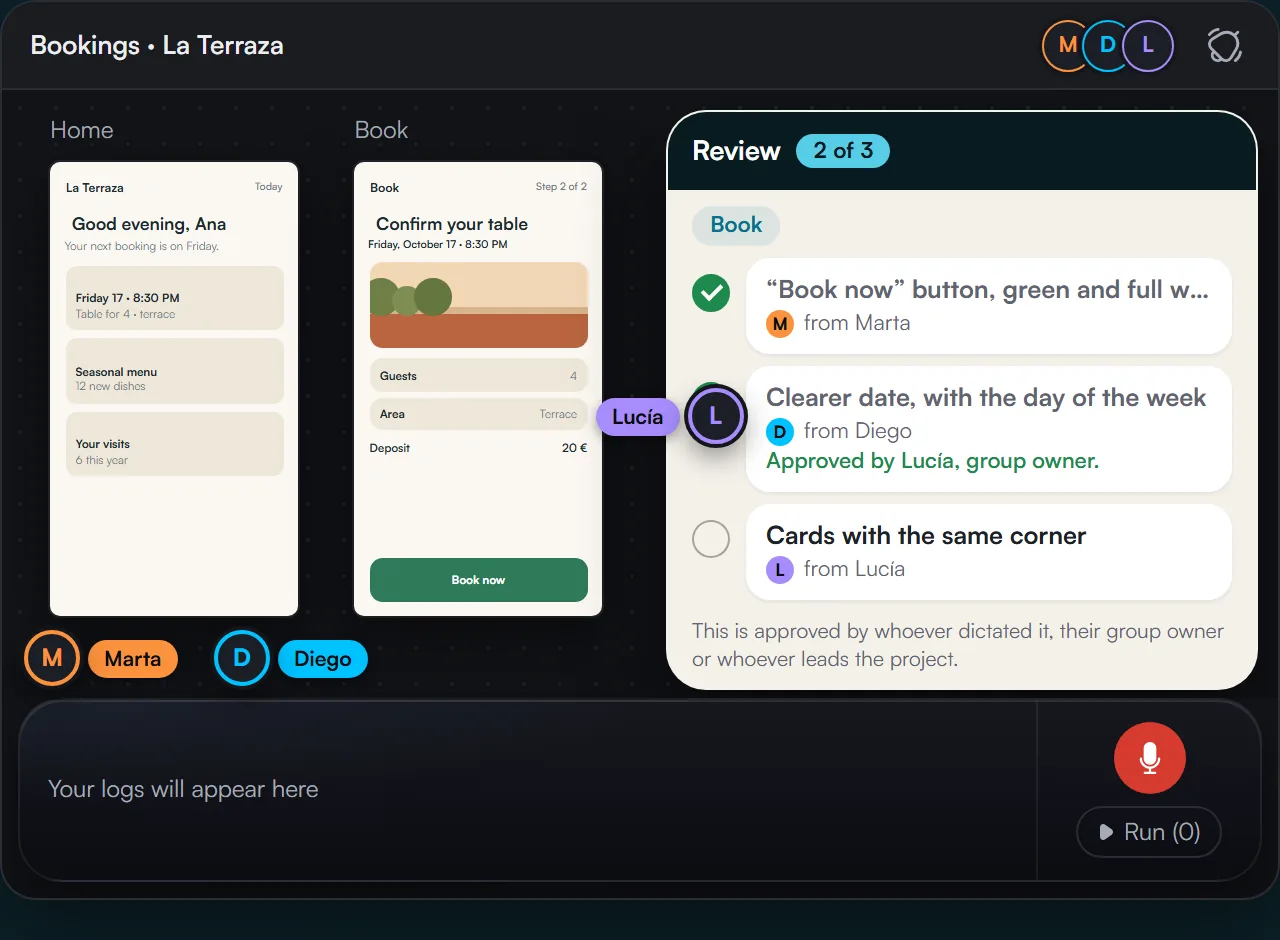
Live presence, groups with an owner, and everyone’s logs run together.
- You see who is in the project, on which screen and whether they are dictating. @mentions and notifications.
- Logs from several people on the same screens run in the same batch. Each task from someone else carries their name.
- Verification by whoever dictated, the group owner or whoever leads the project.
- Each screen’s history, with what was asked for in each run.
One runner is enough for the whole team
In each project, the runner is the person with the “Can run with AI” role: they run the logs with their AI connection. There can be just one or several.
Ten design, one runs
There can be ten people dictating logs in the same project. The runner runs them all together in one batch and they’re applied to the screens, each task from someone else with their name.
With the AI you already use
The runner uses their own AI subscription connected over MCP, or the project’s API key, which the owner lends them without revealing it. With several runners, each one can use their own.
A large team with a single AI subscription is enough to deliver the screens of a complex, professional project.
Clear roles and entry by permission
No one gets in without accepting the invitation. Seeing a project isn’t the same as joining it.
- Two roles: “Can run with AI” and “Can review and comment”. Only the owner sees project amounts.
- Team members see the projects in their list and ask for a seat. The owner accepts by choosing the role, or declines.
- Email invitations and a notice inside Bitácora. Statuses: active, invited, declined, expired; resend or cancel.
- Lend your key to a project so a runner on the team can run batches without seeing the key.
Everything with a name attached
The team’s activity in view for everyone: who dictated, ran, verified, delivered or changed a screen, and who joined or left.
- Filters by person, project and type of activity.
- Team overview: members with their status, projects with screens, open logs, last delivery and last activity.
- Other people’s teams you belong to, with their owner and your role.
- Per-person metrics from Professional: who dictated, who ran, what’s still pending.
How collaboration is paid for
We charge for people, not for the work. No plan limits how many people join your projects; what changes is how much collaboration is included.
Per project, in advance
A collaborative project your plan doesn’t include is activated with a $15 monthly pass, paid in advance for the months you choose. It’s a one-time payment, not another subscription. You see the total before you pay and cover it with what you charge your client.
Seats, not names
Each pass comes with one seat, and each extra seat is $10 a month per project. Seats are slots, not names: if someone leaves, another person takes their place at no cost. Your client doesn’t take up a seat.
The period you quoted
The pass lasts the period you buy, just as you quoted it to your client; if you archive the project and reopen it within that period, your people still get in. And when it expires, no one is removed: they wait at the door, with their role, until the next pass.
Start on your own, bring people in when you need them
Create your team for free and invite anyone you want. Turn on collaboration project by project.

